Checklist Delta Lake
Delta Lake Partitioning Checklist
Questions to answer before partitioning a Delta table, which columns tend to work, and the mistakes that make tables slower.
- Type
- Checklist
- Level
- Intermediate
- Format
- Printable
In short
Partition only when the table is large, queries repeatedly filter on the same low-to-moderate cardinality column, and each partition still holds reasonably large files. Otherwise rely on file sizing, statistics and maintenance.
Who it is for
- Data engineers designing Delta tables in Fabric, Databricks or Spark
- Engineers reviewing a slow table that is already partitioned
What it helps you do
- Decide whether a table should be partitioned at all
- Choose a partition column that enables pruning
- Avoid layouts that create thousands of tiny files
Ask first
- Is the table large enough to justify partitioning? Small and medium tables are usually faster unpartitioned. A common rule of thumb is to keep at least around 1 GB of data per partition; many tables below roughly 1 TB need no partitioning at all.
- Do queries repeatedly filter by the same column? Partitioning only helps queries that filter on the partition column. Check real query patterns, not the column that looks natural.
- Is the candidate column low or moderate cardinality? Tens to a few thousand distinct values, not millions.
- Will it create too many tiny files? Multiply partitions by writers and by loads per day. If each partition receives a few megabytes per load, it will.
- Do lifecycle operations follow it? Deleting, reloading or archiving by date is a strong reason to partition by date.
Prefer
- Date or time where appropriate: a derived
event_dateor month column, not a full timestamp. - Stable access patterns: a column that the main readers filter on today and will next year.
- Pruning-friendly columns: simple equality or range filters on the raw column, without functions wrapped around it.
# Partition by a derived date, not by the timestamp itself.
(df.withColumn("event_date", F.to_date("event_ts"))
   .write.format("delta")
   .partitionBy("event_date")
   .mode("append")
   .saveAsTable("silver.events"))
Avoid
- High-cardinality IDs: customer, order or device IDs create one folder per value.
- Partitioning tiny tables: every partition adds metadata and small files for no pruning benefit.
- Too many nested partition levels: year / month / day / hour multiplies folders quickly; one level is usually enough.
- Partitioning simply because a table is large: size alone is not a reason. A large table that is always read in full gains nothing.
- Changing it casually: changing the partition column means rewriting the table.
Partitioning is not the same as indexing
Partitioning
- Physical folder per value
- Skips folders when the filter matches the partition column
- Fixed when the table is written
- Too many values creates small files
What helps other filters
- Per-file min/max statistics (data skipping)
- Clustering or Z-ordering on filter columns
- Right-sized files and regular compaction
- Selecting only the needed columns
Already partitioned and slow?
- Count files per partition and their average size; many files under ~100 MB point to over-partitioning or missing compaction.
- Check whether slow queries actually filter on the partition column.
- Compact small files and schedule maintenance before redesigning the layout.
- If the column is wrong, plan a rewrite into a new table rather than adding another partition level.
Go deeper: related articles
Microsoft Fabric
How to Make Microsoft Fabric Notebooks Faster
A practical workflow for reducing Fabric notebook startup, read, shuffle, transformation and Delta write time without guessing.
SQL Server
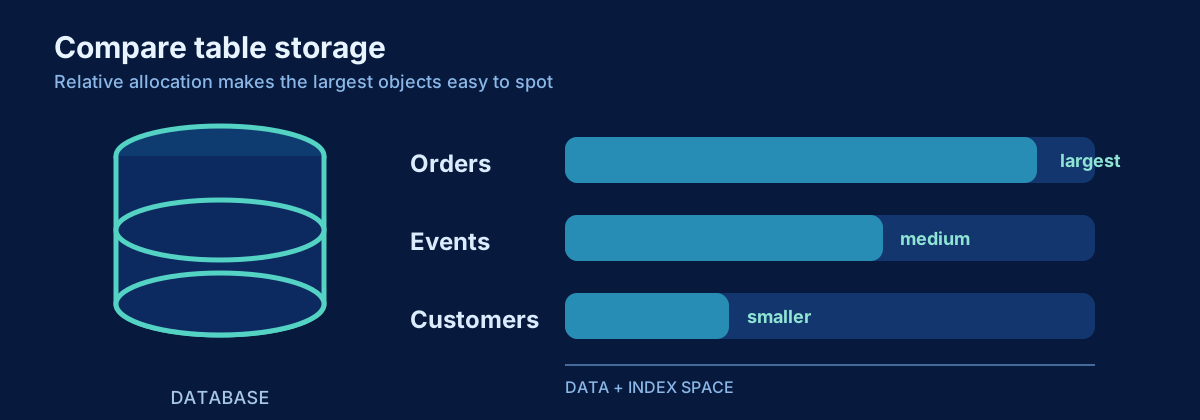
How to See SQL Server Table Sizes
Measure SQL Server row counts, reserved space, data, indexes and unused allocation without double-counting partitions or allocation units.
Planned articles on these topics
- PlannedChoosing a Good Partition Column for Delta Lake
- PlannedPartitioning Delta Tables: The Mistakes That Create More Problems Than They Solve
- PlannedDesigning Delta Tables for Billions of Rows
- PlannedSmall Files in Delta Lake: Why They Hurt Performance
- PlannedMERGE into Delta Tables: Performance Patterns That Matter
Build it: related projects
Related talks
Working with Billions of Rows in Delta Lake
What changes when Delta tables reach billions of rows: partitioning, file sizing, MERGE, incremental processing, small files, compaction and concurrent writers.
Formats: Talk · Webinar · Internal session
Medallion Architecture Without Over-Engineering
Bronze, Silver and Gold as responsibilities rather than mandatory boxes: when all three layers help, when fewer are better, and how Delta, incremental processing, file design and data quality fit in.
Formats: Talk · Webinar · Workshop · Internal session