SQL Server
How to Get a SQL Server Session ID and See What It Is Doing
Find your SQL Server session ID, investigate another session, and inspect its request, SQL text, waits, blocking and open transaction state.
On this page
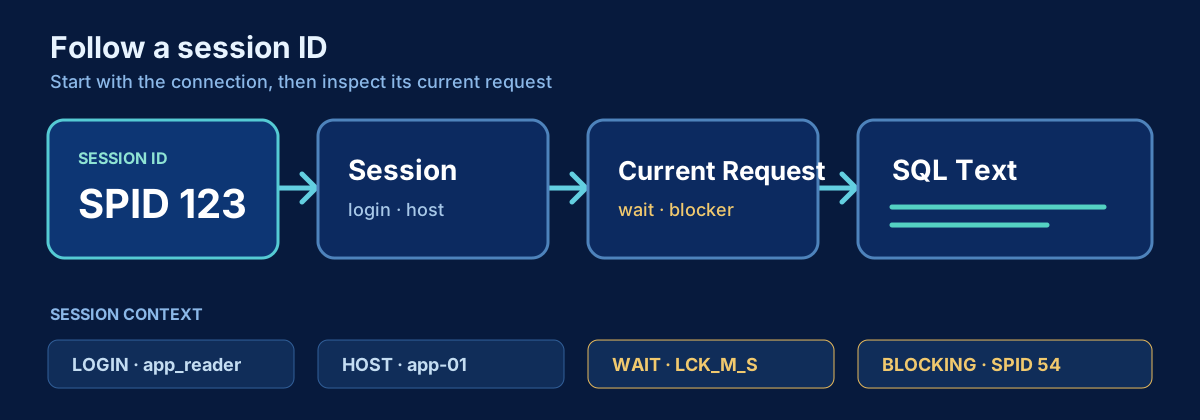
A SQL Server session ID identifies a client connection. It is the number support teams commonly ask for when they need to connect an application symptom to server activity. The same session can execute many requests over its lifetime, so a session ID tells you where to look, not which statement ran at an earlier time.
Problem
An application owner reports that session 123 is stuck. You need to know who owns the session, where it connected from, whether it is actively executing, which statement is running, what it waits for, whether another session blocks it, and whether it owns an open transaction.
Do not begin with KILL 123. Session IDs are reused after disconnects, and ending a session can initiate a long rollback. Capture and confirm the evidence first.
Quick diagnostic
To return the ID of your current connection, run:
SELECT @@SPID AS session_id;Each query-window connection normally has its own session ID. Reconnecting can produce another value. An application connection pool keeps and reuses connections, so the session may outlive a single web request.
Query: give me everything about session 123
Set the parameter once. The query returns the session even when it is sleeping, and enriches it with a current request and transaction information when those exist.
DECLARE @SessionId int = 123;

SELECT
    SYSDATETIMEOFFSET() AS captured_at,
    s.session_id,
    s.login_name,
    s.original_login_name,
    s.host_name,
    s.program_name,
    s.client_interface_name,
    s.login_time,
    s.last_request_start_time,
    s.last_request_end_time,
    s.status AS session_status,
    DB_NAME(COALESCE(r.database_id, s.database_id)) AS database_name,
    r.request_id,
    r.status AS request_status,
    r.command,
    r.start_time AS request_start_time,
    r.total_elapsed_time AS elapsed_time_ms,
    r.cpu_time AS cpu_time_ms,
    r.logical_reads,
    r.reads AS physical_reads,
    r.writes,
    r.wait_type,
    r.wait_time AS wait_time_ms,
    r.wait_resource,
    NULLIF(r.blocking_session_id, 0) AS blocking_session_id,
    s.open_transaction_count AS session_open_transaction_count,
    r.open_transaction_count AS request_open_transaction_count,
    at.transaction_begin_time,
    at.transaction_type,
    at.transaction_state,
    SUBSTRING(
        sql_text.text,
        (COALESCE(r.statement_start_offset, 0) / 2) + 1,
        CASE
          WHEN r.statement_start_offset IS NULL THEN LEN(sql_text.text)
          ELSE ((CASE r.statement_end_offset
                   WHEN -1 THEN DATALENGTH(sql_text.text)
                   ELSE r.statement_end_offset
                 END - r.statement_start_offset) / 2) + 1
        END
    ) AS current_or_recent_statement,
    sql_text.text AS batch_text
FROM sys.dm_exec_sessions AS s
LEFT JOIN sys.dm_exec_requests AS r
    ON r.session_id = s.session_id
LEFT JOIN sys.dm_exec_connections AS c
    ON c.session_id = s.session_id
LEFT JOIN sys.dm_tran_session_transactions AS st
    ON st.session_id = s.session_id
LEFT JOIN sys.dm_tran_active_transactions AS at
    ON at.transaction_id = st.transaction_id
OUTER APPLY sys.dm_exec_sql_text(COALESCE(r.sql_handle, c.most_recent_sql_handle)) AS sql_text
WHERE s.session_id = @SessionId;
The expression for database_name uses the request database when a request is active and otherwise the session’s current database. most_recent_sql_handle can show the most recent batch on a sleeping connection, but it does not prove that text is still executing or that it opened the current transaction.
How to read the result
An active session normally has request values: command, start time, counters, wait, and statement text. A sleeping session has no active request, so those columns are NULL. Sleeping only means the session is not currently executing. It can still own an open transaction, retain locks, and block other sessions.
login_name, host_name, and program_name connect the session to an owner. Host and program values come from the client, so treat them as operational hints. last_request_start_time and last_request_end_time show recent session activity but are not a durable statement history.
blocking_session_id identifies the immediate blocker of an active request. It may not be the head blocker. Follow the chain until you reach a session that is not itself blocked, then inspect that session’s transaction and last or current SQL.
Transaction state values are compact internal codes documented for sys.dm_tran_active_transactions; retain the raw value in incident captures and interpret it with the version’s documentation. The begin time is usually more directly useful: an old transaction combined with blocking or log growth deserves prompt investigation.
What the result may mean
An active session with increasing CPU and reads may be progressing through expensive work. A stable lock wait and blocking ID suggest a dependency rather than slow execution inside the blocked request. A sleeping session with an open transaction can indicate an application began a transaction and then returned control without commit or rollback. That pattern can hold locks and prevent log truncation.
Multiple result rows can appear when a session has multiple active transactions or requests. That is not accidental duplication: the relationships are one-to-many. Do not sum request counters across repeated transaction rows without first separating those grains.
What to check next
For blocking, switch to the blocking-chain query and identify the head blocker. For high reads or CPU, capture the plan and inspect table size, predicates, estimates, and access methods. For a sleeping session with an old transaction, correlate the connection to application telemetry and transaction-handling code. If the activity already ended, use Query Store, Extended Events, or application tracing rather than expecting session DMVs to reconstruct it.
Common mistakes
- Assuming session ID 123 still refers to the same connection after it disconnected.
- Treating a session and its current request as the same lifetime.
- Calling a sleeping session idle without checking open transactions.
- Treating the most recent SQL text as proof that it opened an existing transaction.
- Ending a session before estimating rollback impact and identifying the owner.
- Depending on undocumented convenience procedures as the primary diagnostic method.
Production notes
Seeing other sessions requires appropriate server-state permission. SQL text may include sensitive data, so control who can capture and share it. DMV state is transient across restarts and failovers, and session state disappears when the connection closes.
The query is intentionally diagnostic and read-only. If ending a session becomes necessary, confirm that the identifier is still the intended connection, notify the workload owner, understand availability consequences, and expect rollback to take time. Killing a session is an operational decision, not a tuning technique.
Related content
SQL Server
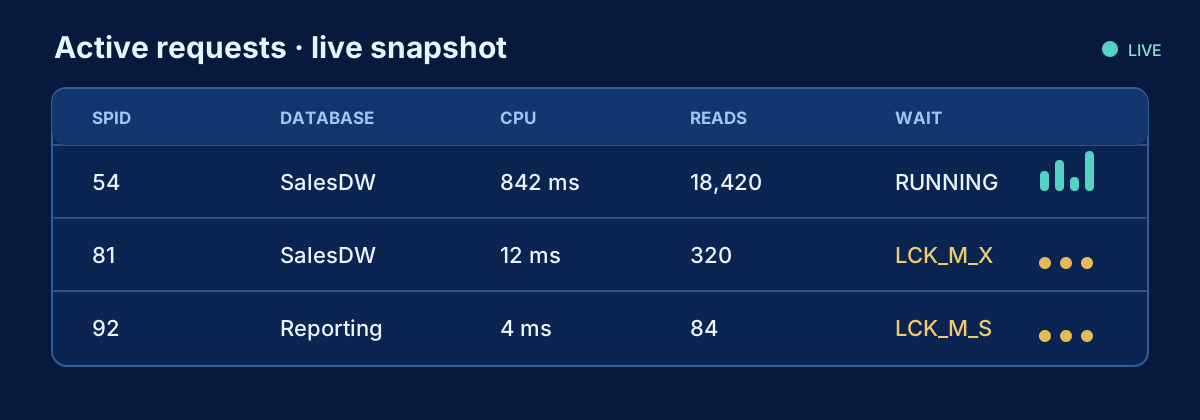
How to Find What Is Running in SQL Server Right Now
A production-safe DMV query for active SQL Server requests, including statement text, identity, resource use, waits and blocking.
SQL Server
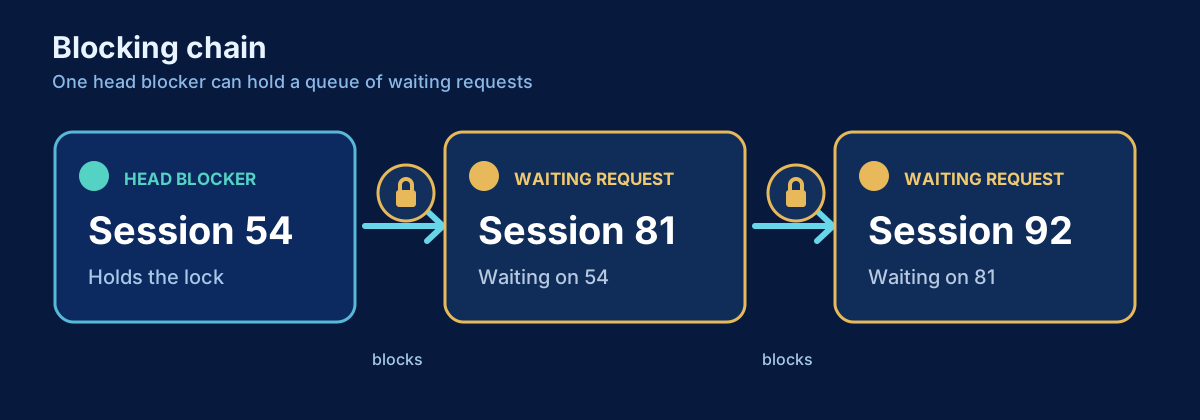
How to Find Blocking in SQL Server
Find blocked requests, trace blocking chains to the head blocker, and inspect the responsible session and transaction safely.
SQL Server
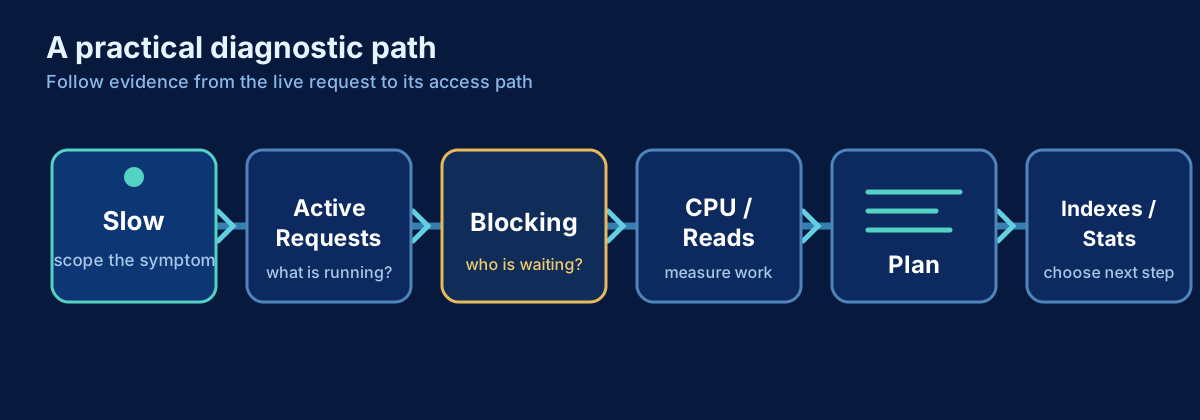
SQL Server Is Slow: A Practical Troubleshooting Workflow
A production-first workflow for turning a vague SQL Server slowdown into evidence, a likely cause, and a safe next step.